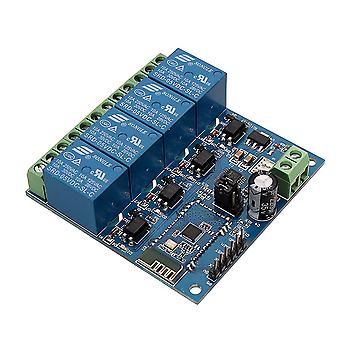
Dc5v 4-channel Android Mobile Bluetooth Relay Module

₱1,599.00
+ ₱419.99 Shipping

Dc5v 4-channel Android Mobile Bluetooth Relay Module

Dc5v 4-channel Android Mobile Bluetooth Relay Module

RRP: ₱4,499.00
Price: ₱1,599.00
You save: ₱2,900.00 (64%)
Sold by:
₱1,599.00
+ ₱419.99 Shipping

In stock

14-Day Returns Policy

Payment methods:

Description

Dc5v 4-channel Android Mobile Bluetooth Relay Module

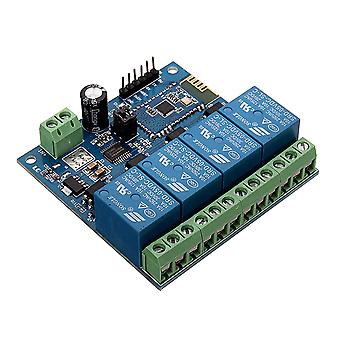
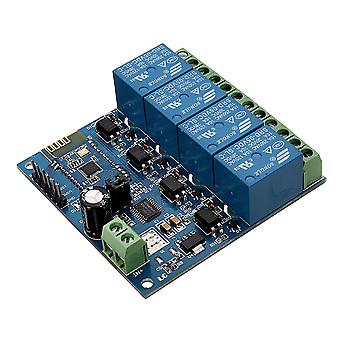
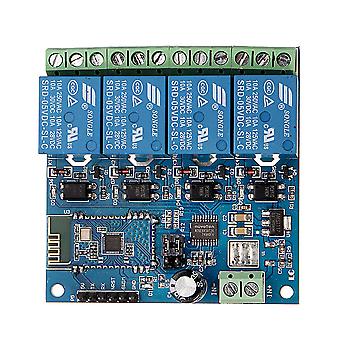
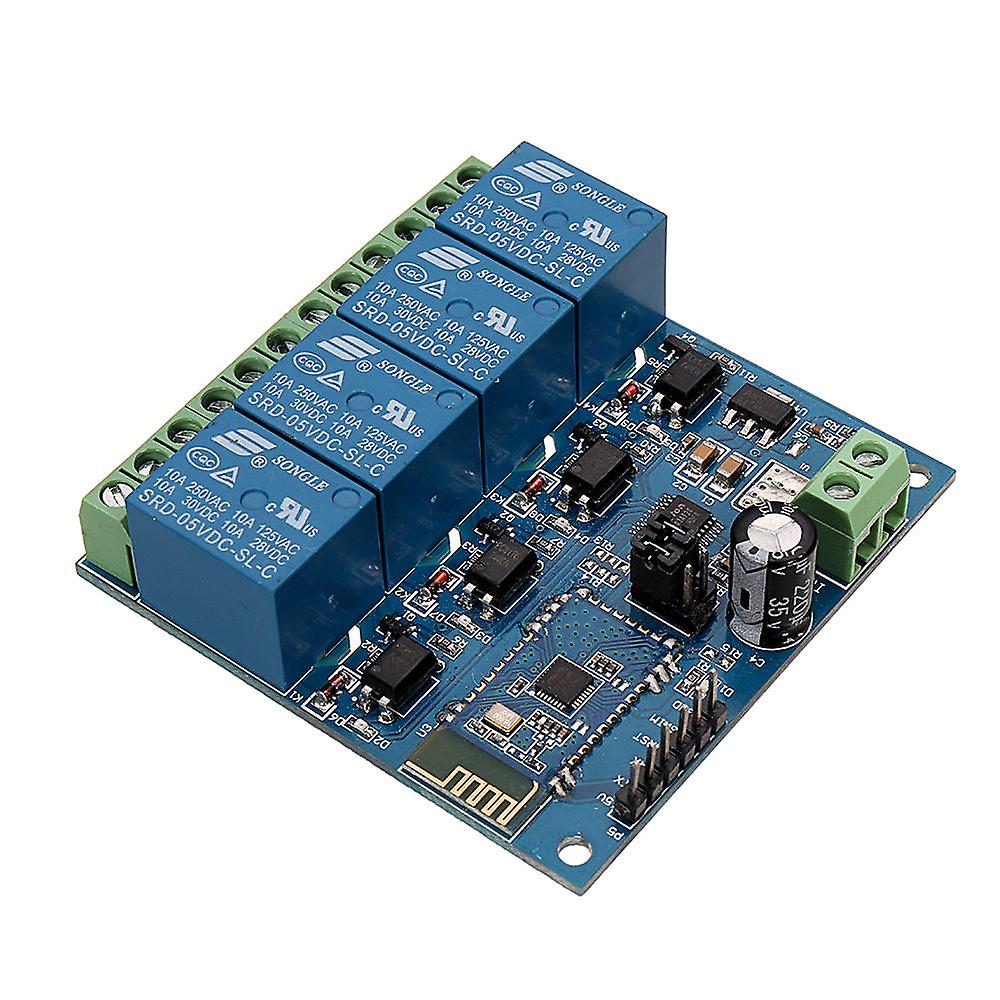
The function and characteristics:  1, On-board N76E003/STM8S003 and SPP-C Bluetooth 2.1 module.  2, The relay can be controlled with APP.  3, Effective control distance(on open area): 10m.  4, Power supply: 5V.  5, On-board 5V, 10 A / 250 v AC 10 A / 30 v DC relay, absorb 100000 times.  continuously, Module with diode effusion protection, short response time.  6, On-board optocoupler isolation components, anti-interference ability is strongly.  7, On-board Bluetooth indicator and relay indicator LED.  8, On-board preserved UART debug interface(Baud rate is 9600) and MCU program interface.  9, Size: 62.7*63.2mm.  Interface:  IN+,  IN-: 5V power input.  TX, RX: UART communication.  SWIM,  NRST: MCU program interface.  LED D2/D3/D4/D5(red): Relay indicator.  LED D1(blue): Bluetooth state indicator, the description of D1 as below:  (1)It’s means wait for establishing connection with the APP when D1 blink slowly.  (2)It’s means the Bluetooth connect with the APP successfully when D1 on all the time.  Relay control command(must be hex format):  Open the 1st relay: A0 01 01 A2.  Close the 1st relay: A0 01 00 A1.  Open the 2nd relay: A0 02 01 A3.  Close the 2nd relay: A0 02 00 A2.  Open the 3rd relay: A0 03 01 A4.  Close the 3rd relay: A0 03 00 A3.  Open the 4th relay: A0 04 01 A5.  Close the 4th relay: A0 04 00 A4.     Control the relay with APP:  1, The IN+, IN- connect to 5V DC adapter.  2, Controlled the relay with APP.  There are 2 types APP available: one is a specialized APP that designed by LCTECH, another one is a common APP that downloaded from Android market.  2.1, Specialized APP instructions:  2.1.1, Install the “BluetoothDemo” APP on your Android phone, open it and click”search”, and then connect to the Bluetooth module. Generally,the default name of the Bluetooth is BT04-A and password is 1234, it means the connection is ok when the blue LED on all the time. Then you can click the function block to control the relay.  2.2, Common APP instructions(give example with the 1st and 2nd relay ):  2.2.1, Install APP “BlueSPP_37” on your Android phone. It’s used for send the relay command to the Bluetooth module . Click”SWITCH” , press the function block and insert the relay command name and content(Remark: the command content is HEX format) 2.2.2, Open “BlueSPP_37”APP, click”CONNNECT”, insert the password if needed(the default password is 1234), and then you can click the function block to control the relay after the status of the blue led is on all the time.  3, Additional function (As an USB relay module )instructions: For that,You need an USB to TTL module. IN+ , IN- connect to 5V adapter, and the GND, TX, RX pins of the TTL module connect to the GND, TX, RX pins of the relay module. Turn on the power, Open a Serial debugging software on your PC, the baud rate is 9600.After that you can send relay command to control the relay. For example, send A0 01 01 A2 or A0 01 00 A1 can open or close the first relay(remark: the command format is HEX):   4, How to modify the SSID and PASSWORD of the Bluetooth module.
  • Fruugo ID: 311243162-695502261
  • EAN: 8727971221464

Product Safety Information

Please see the product safety information specific to this product outlined below

The following information is provided by the independent third-party retailer selling this product.

Safety Warnings: Not suitable for children under 36 months, The parcel bag is not a toy. Keep away from children to avoid suffocation hazards.

Delivery & Returns

Dispatched within 2 days

  • STANDARD: ₱419.99 - Delivery between Mon 05 January 2026–Thu 15 January 2026

Shipping from China.

We do our best to ensure that the products that you order are delivered to you in full and according to your specifications. However, should you receive an incomplete order, or items different from the ones you ordered, or there is some other reason why you are not satisfied with the order, you may return the order, or any products included in the order, and receive a full refund for the items. View full return policy

Product Compliance Details

Please see the compliance information specific to this product outlined below.

The following information is provided by the independent third-party retailer selling this product.

Manufacturer
The following information outlines the contact details for the manufacturer of the relevant product sold on Fruugo.

  • GreenZech
  • Shenzhen GreenZech Technology Co.,Ltd
  • 16C B97 Fuxuan Dalong Jiedao Longhua District
  • Guangdong China
  • Shenzhen
  • CN
  • 518000
  • 1158738758@qq.com
  • 14774955154

Responsible Person in the EU
The following information outlines the contact information for the responsible person in the EU. The responsible person is the designated economic operator based in the EU who is responsible for the compliance obligations relating to the relevant product sold into the European Union.

  • SUCCESS COURIER SL
  • SUCCESS COURIER SL
  • CALLE RIO TORMES NUM.1,PLANTA 1,DERECHA
  • OFICINA 3,Fuenlabrada
  • Madrid
  • ES
  • 28947
  • successservice3@gmail.com
  • +34 910602659